The truth is, there's no single, one-size-fits-all price for color printing. The final cost is a moving target, completely shaped by the specifics of your project. A basic color copy might run you about $0.60 per page, but a custom brochure with all the bells and whistles is a different story altogether.
The Real Answer to "How Much Does Color Printing Cost?"
Everyone wishes for a straightforward price list, but figuring out your printing cost is more like building a custom car than buying one off the lot. Every choice you make—the paper stock, the number of copies, the printing method, and any special finishes—adds to the final sticker price.
Think of it this way: ordering a thousand flyers is a lot like buying in bulk at a warehouse store. The more you buy, the less you pay for each individual item. This principle of scale is one of the biggest factors in printing, and it’s why a huge print run can have a surprisingly low per-piece cost.
The Key Ingredients of Your Printing Bill
To really get a handle on your budget, you need to know which "ingredients" have the biggest impact. The main drivers are always the same: how many you need (quantity), what you're printing on (paper), how it's being printed (technology), and what happens after the ink dries (finishing).
A small batch of flyers on plain paper will land in a completely different price universe than thousands of glossy, professionally bound catalogs. The trick is knowing where you can be flexible to save money without sacrificing the look you're going for.
One of the biggest myths in printing is that a tiny job should have a tiny price tag. The reality is that the initial setup—getting the files ready and the press calibrated—is a fixed cost. That setup expense gets spread out over more pieces in a large run, which is why small jobs have a much higher cost per item.
To make this crystal clear, let's break down how your choices stack up.
How Key Choices Impact Your Color Printing Costs
The table below gives you a bird's-eye view of the main cost factors. Think of it as a cheat sheet for understanding the trade-offs between what you want and what you want to spend.
| Cost Factor | Low-Cost Option | High-Cost Option | Impact on Price |
|---|
| Quantity | High Volume (1,000+) | Low Volume (Under 250) | High. The per-piece cost drops significantly with larger orders. |
| Paper Type | Standard copy paper (20# bond) | Thick, glossy cardstock or specialty textures | High. Premium paper can easily double or triple material costs. |
| Printing Method | Digital Printing | Offset Printing | Medium. Digital is cheaper for small runs; offset is for large runs. |
| Finishing | None (just trim to size) | Folding, binding, laminating, die-cutting | Medium to High. Complex finishes add significant labor and material costs. |
| Turnaround Time | Standard (several days) | Rush (same-day or next-day) | Medium. Expedited service comes at a premium. |
| Design Services | Print-ready file provided | Needs design/layout from scratch | Medium. Professional design is an added (but valuable) service cost. |
Seeing it laid out like this really helps you pinpoint where your budget is going. By consciously choosing options in the "Low-Cost" column where you can, you can free up funds for the "High-Cost" features that truly matter for your project's success.
What Goes Into the Cost of a Color Print Job?
When you get a quote for a printing project, it’s easy to focus on the final number. But to really get a handle on your budget, you need to understand the individual pieces that build up that total. Think of it like a recipe—each ingredient contributes to the final taste, and in this case, the final cost. Knowing these core factors helps you make smart choices that get you the results you want without breaking the bank.
Let's start with the biggest one: print quantity. It’s simple economies of scale. Just like buying in bulk at Costco saves you money per item, printing more pieces drastically lowers your cost per piece. This is especially true with offset printing, where the setup is the expensive part. Spreading that initial cost over 5,000 brochures versus just 100 flyers makes a world of difference to the per-unit price.
Next up is your paper choice. The paper you choose does more than just hold the ink; it sets the tone for your entire project. A basic, lightweight paper is perfect and affordable for simple handouts. But if you opt for a premium, heavy cardstock with a slick glossy finish or an elegant texture, your material costs will climb. The paper's weight, brightness, and coating all factor into the final price tag.
This diagram breaks down how these key decisions form the foundation of your printing budget.
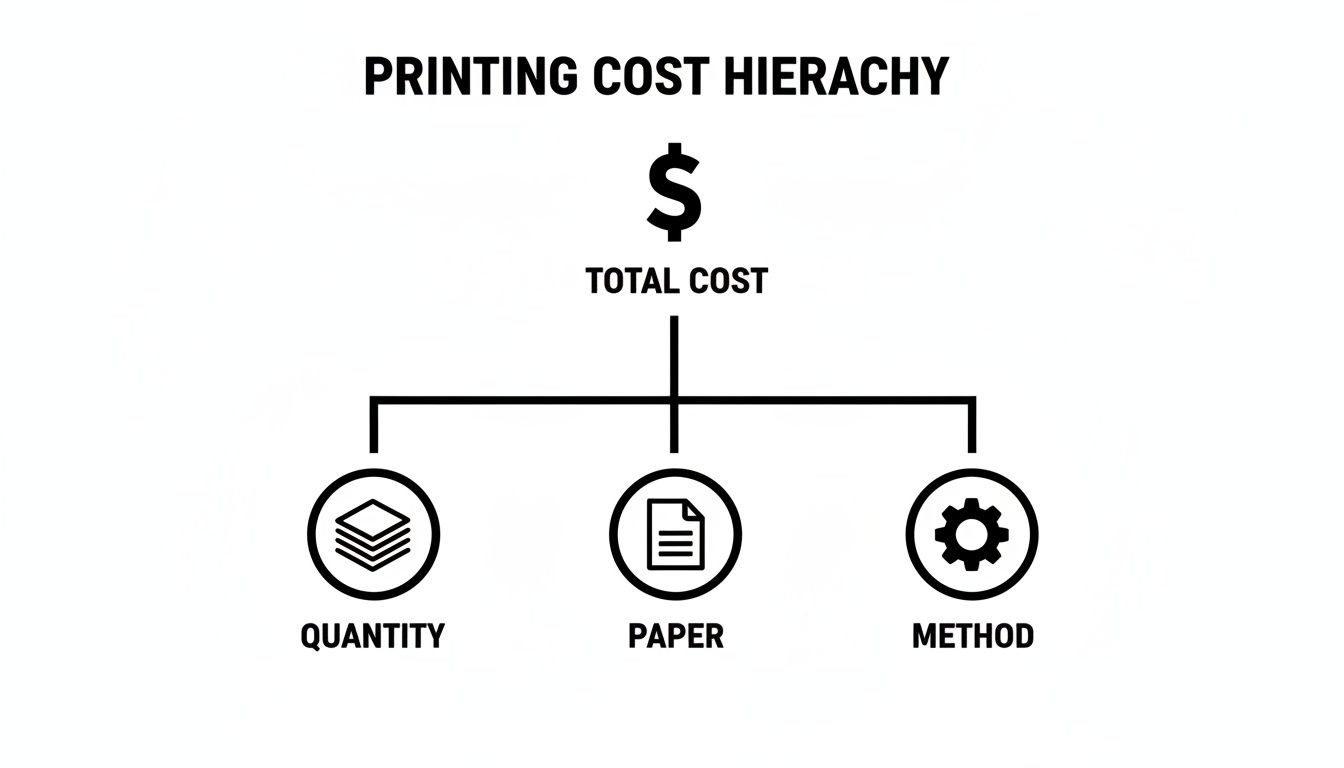
As you can see, how many you print, what you print on, and the method used are the biggest levers you can pull to manage your budget.
Ink Coverage and Project Size
How much of the page is covered in ink? A design with a lot of white space will naturally cost less than a full-bleed poster saturated with color from edge to edge. While ink is a smaller part of the overall cost on huge offset runs, it's a very real variable for digital printing.
The dimensions of your project play a big role, too. Sticking to standard sizes like 8.5" x 11" or 11" x 17" is the most cost-effective path because it leads to less wasted paper. If you need a custom shape or a large-format piece, expect the cost to go up to account for the extra material and specialized cutting involved.
The great news is that printing technology has become incredibly efficient over the years. A color print job that would have set you back over £900 in 1988 can now be done for as little as £90. That's an inflation-adjusted price drop of more than 80%! You can read more about the historical trends in printing prices to see just how far the industry has advanced.
The Urgency Factor
Finally, how fast do you need it? Your turnaround time is a major cost driver. A standard schedule allows a print shop to manage its workflow efficiently, grouping similar jobs together. But if you need something done today or tomorrow, you'll likely face rush fees. These charges cover the cost of shuffling the production schedule and prioritizing your job over others. A little bit of planning ahead is one of the easiest ways to keep your printing costs down.
Choosing Between Digital and Offset Printing
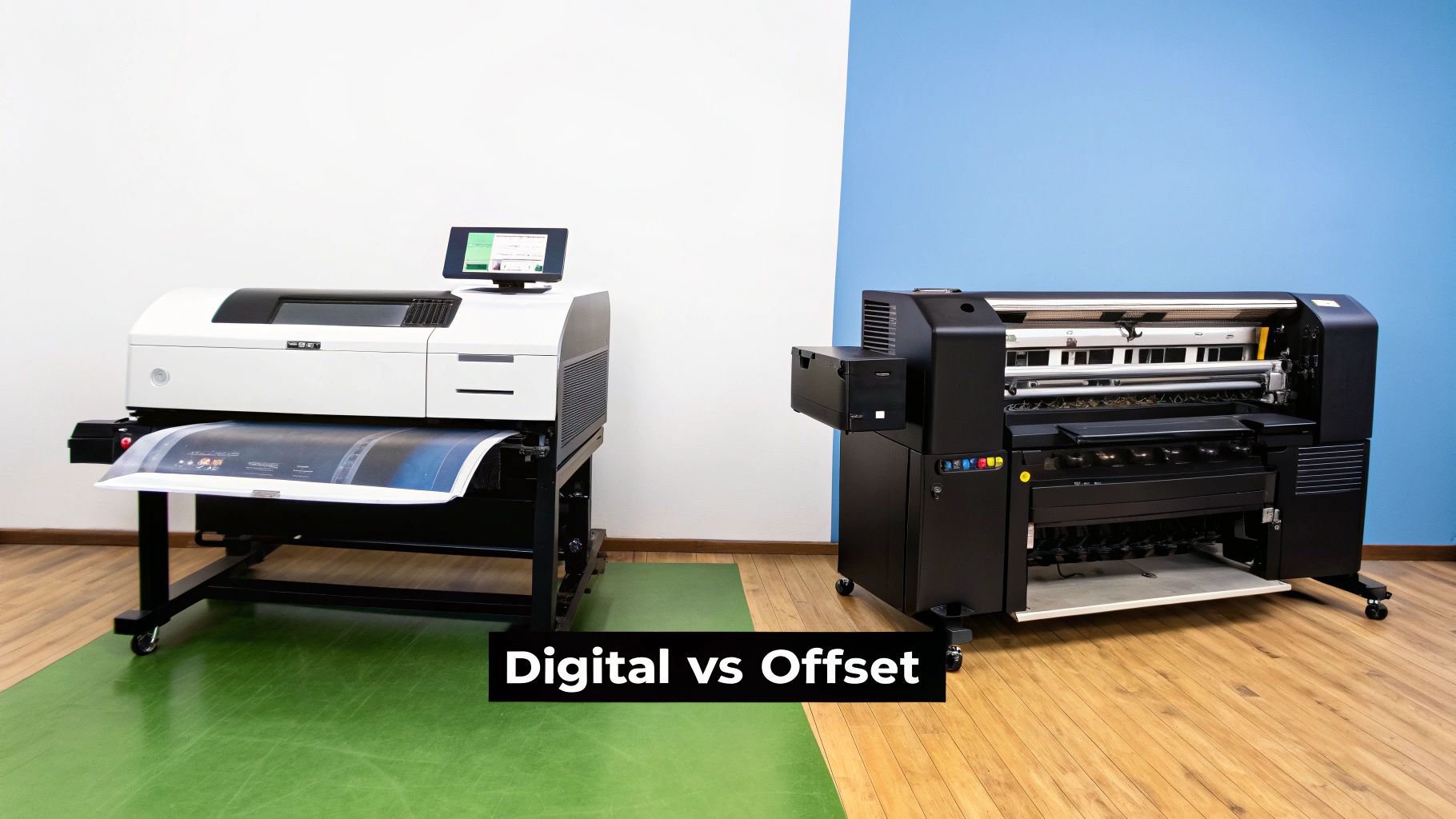
When it comes to your final color printing cost, your choice of printing method is probably the single biggest lever you can pull. The two main players in the game are digital and offset printing, and knowing which one to pick is the key to getting the best bang for your buck. Each technology has its own strengths, and the right choice really depends on what you're trying to accomplish.
Think of digital printing as a super-powered version of your office printer. It takes a digital file—like a PDF—and prints it directly onto paper. There are no custom plates or complicated setup, which makes it incredibly fast and efficient for smaller jobs.
Offset printing, on the other hand, is the tried-and-true workhorse of the commercial printing industry. This method involves creating custom metal plates of your design. These plates transfer ink to a rubber "blanket," which then rolls the image onto the paper. The setup is more involved and costs more upfront, but for big jobs, it's where you find massive savings.
When Digital Printing Makes Sense
For speed and flexibility on smaller projects, digital printing is the hands-down winner. It's the perfect solution when you need a fast turnaround or are printing a lower quantity, usually anything under 500–1,000 pieces.
Here’s where digital really shines:
- Short Runs: Ideal for projects like 50 event invitations, 200 brochures for a trade show, or 100 business cards.
- Variable Data Printing: Need to personalize each piece? Digital printing makes it easy to add unique names, addresses, or coupon codes to every single print in a direct mail campaign.
- Quick Turnarounds: With no plates to make, we can get your job on the press almost immediately after you approve the file.
When Offset Printing Delivers Value
Offset printing is all about economies of scale. That initial setup cost might seem high, but as your print quantity goes up, the price you pay for each individual piece drops dramatically. This makes it the undisputed champion for large-volume projects.
You'll want to go with offset for:
- High-Volume Jobs: The only way to go when you need 5,000 flyers, 10,000 catalogs, or 20,000 newsletters.
- Superior Color Consistency: Offset presses provide incredible precision, ensuring your specific brand colors (like those matched to the Pantone system) look identical from the first print to the last.
- Material Flexibility: This method easily handles a much wider variety of specialty papers, custom inks, and unique finishes.
To get a sense of the operational differences, consider the raw technology costs. A modern digital laser printer runs at about 12 to 15 cents per page for color, while some high-quality inkjet systems can be closer to 20 cents per page. As you can see from some of the stats on how printer technology affects costs at TonerBuzz, the right equipment makes a huge difference in keeping prices competitive.
To make this even clearer, let's break down the key differences between these two powerful printing methods.
Digital vs Offset Printing: A Head-to-Head Comparison
| Feature | Digital Printing | Offset Printing |
|---|
| Best For | Short to medium runs (under 1,000) | High-volume runs (1,000+) |
| Setup Cost | Low to none | High (requires custom plates) |
| Cost Per Piece | Higher on large runs | Decreases as quantity increases |
| Turnaround | Fast (hours to a couple of days) | Slower (several days due to setup) |
| Personalization | Excellent for variable data | Not possible or cost-prohibitive |
| Color Accuracy | Very good, but can have slight variations | Exceptional, ideal for Pantone matching |
| Paper Options | Good range of standard stocks | Widest range, including specialty textures |
Ultimately, choosing the right method comes down to understanding the trade-offs between setup cost, per-piece price, and turnaround time for your specific project.
The core takeaway is simple: for low quantities and quick needs, digital printing is your budget-friendly friend. For massive quantities where per-piece price is paramount, offset printing is the unbeatable long-term investment.
Here at Camelot Print & Copy Centers, we make this choice easy for you. We’ll look at your project's quantity, timeline, and quality goals to recommend the printing method that gives you the absolute best results for your budget.
How Finishing Touches and Design Affect Your Budget
A print project isn't finished the moment ink hits the paper. Far from it. What happens before and after printing—the design work and the finishing touches—plays a massive role in your final color printing cost. These are the steps that turn a simple printed sheet into a polished, professional piece that gets noticed.
Think of it like buying a new car. The base model gets you from A to B, but it's the premium features—the leather seats, the sunroof, the custom wheels—that make it truly yours. In printing, those "premium features" are things like specialty folds, binding, and coatings that give your materials a high-end, memorable feel.
Post-Press Finishing Options
Finishing services, sometimes called post-press services, cover everything that happens after the printing is done. Each option adds a unique look and feel, but it also adds to the labor and material costs.
Here are a few common choices and how they typically impact the budget:
- Binding: For things like booklets, catalogs, or manuals, your options range from simple, budget-friendly saddle-stitching (stapling) to more durable and professional methods like spiral or perfect binding.
- Lamination: This involves applying a thin plastic film that creates a tough, wipeable surface. A matte or gloss lamination can add 15-25% to the project cost, but it also dramatically extends the life of your printed piece.
- UV Coating: A liquid coating is applied to the paper and then hardened (or "cured") with ultraviolet light. This can create a super-glossy, protective layer over the entire page or just in specific areas (spot UV) for a stunning visual contrast.
- Foil Stamping: This is a classic premium touch where heat and pressure are used to apply metallic foil to the paper. It adds a definite touch of luxury but comes with a higher price tag because it requires a custom die and special materials.
Pre-Press Design Considerations
The work you do before your job even hits the press has a direct line to your final bill. You really have two choices: bring your own completed design or work with a professional graphic designer. Both have very different cost implications.
If you provide a print-ready file, you'll skip the design fees altogether. But—and this is a big "but"—if that file has problems like low-resolution images, the wrong color mode (RGB instead of CMYK for print), or no bleed, the print shop has to spend time fixing it. That time translates directly into pre-press charges on your invoice.
Pro Tip: Always ask your printer for their file setup guidelines before you start designing. Taking a few extra minutes to export your PDF correctly can save you real money by avoiding file correction fees and keeping your project running smoothly.
On the other hand, investing in professional design from a provider like Camelot Print & Copy Centers might add to the upfront cost, but it often pays for itself. A pro not only ensures your files are technically perfect for printing but also creates a more effective, visually compelling product that helps you actually achieve your business goals.
Practical Ways to Reduce Your Color Printing Costs
Knowing what goes into your color printing cost is one thing, but putting that knowledge to work is where you’ll really see the difference. With a few smart moves, you can seriously trim your expenses without sacrificing the quality of your finished project. It all comes down to being a strategic print buyer and making intentional choices before your job ever hits the press.
If there's one golden rule, it's this: plan ahead. Nothing inflates a printing budget faster than a rush job. Those last-minute orders often come with extra fees that can make a huge dent in your wallet. When you give your print shop a comfortable timeline, they can schedule your job more efficiently, and those savings get passed right back to you.
Optimize Your Project Specs
Small tweaks to your project's details can add up to big savings. It pays to take a second look at your design and material choices to see where you can be more economical.
Stick to Standard Sizes: Using common paper dimensions like 8.5" x 11" or 11" x 17" is a simple but effective trick. It minimizes paper waste, whereas custom sizes require special cuts and often leave more paper in the recycling bin—which you end up paying for.
Watch Your Ink Coverage: Is your design drenched in dark, saturated colors? That uses a lot more ink and might even require a more expensive paper stock to keep it from bleeding through. Designs with more white space are a natural cost-saver.
Bundle Your Print Jobs: If you have business cards, flyers, and brochures on your to-do list for the next few months, why not print them all at once? Combining several jobs into one large run takes advantage of economies of scale, especially with offset printing, and can lower your overall bill.
One of the smartest things you can do is talk to your printer early in the process. A seasoned pro can look at your project and suggest a different paper stock or a tiny design change that keeps your vision intact while being kinder to your budget.
The demand for color printing isn't slowing down. The global market is expected to grow from USD 27.99 billion in 2023 to USD 37.34 billion by 2030. This boom is driven by new technologies that are making high-quality color more accessible and affordable than ever. You can see the full analysis in the global color printer market report from Grand View Research.
Think Long-Term and Proofread Diligently
Finally, let’s talk about the most painful and avoidable expense of all: the reprint. There's nothing worse than finding a glaring typo after 5,000 copies have already been run.
- Proofread everything. Seriously, read every single word on the proof you get.
- Get a second pair of eyes. Ask a colleague to review it, too. A fresh perspective can catch errors you’ve stared at for so long you don’t even see them anymore.
- Triple-check the details. Make sure every date, phone number, address, and price is perfect before you sign off.
Being proactive and paying attention to the small stuff is how you keep your color printing cost right where you want it.
Finding the Right Partner for Cost-Effective Printing
You’ve seen just how many variables go into the final cost of a color printing job. It really comes down to the choices you make. From the size of your order to the specific paper you choose and the finishing touches you add, every decision has an impact. Now that you know what's what, you can walk into your next project with the confidence to pull the right levers and hit your budget.
But here’s the single most effective strategy of all: find a true partner in print. An expert printer does a lot more than just run a press; they're your guide. They can look at what you’re trying to achieve and suggest smart alternatives you might not have even thought of, like a slightly different paper that gives a similar feel for less, or a tiny size adjustment that saves a surprising amount of money.
Let's Help You Balance Quality and Budget
This is where a partnership with a seasoned printer like Camelot Print & Copy Centers can make all the difference. Instead of trying to figure it all out on your own, you get clear, practical advice that’s specific to your project. It’s this kind of collaboration that ensures you never have to choose between quality and price.
Think of the right print provider as an extension of your team. Their expertise helps you make smarter investments, ensuring every dollar you spend on printing delivers the maximum possible impact for your business.
At the end of the day, managing your printing budget is all about smart planning and having an expert in your corner. By understanding what drives the costs and working with a partner who knows how to navigate them, you can bring your vision to life—beautifully and affordably. You're now ready to make some great decisions on your next project.
A Few Common Questions About Color Printing Costs
Diving into the world of printing can bring up a lot of questions, especially when you're trying to keep an eye on your budget. Getting clear answers to a few common queries can really pull back the curtain on the process, helping you make smarter, more cost-effective decisions for your business.
Why Is a Small Batch of Color Flyers So Expensive Per Piece?
It always seems a little backward, doesn't it? Ordering just a handful of flyers often comes with a surprisingly high per-item cost. The culprit here is the fixed setup fees that come with every print job, especially on an offset press.
Before the first flyer even rolls off the line, the press has to be perfectly calibrated and custom plates need to be created. Those initial costs are the same whether you’re printing 50 flyers or 5,000. On a massive order, that setup cost gets spread so thin across thousands of items that it becomes almost negligible. But on a small run, that same cost is divided among just a few pieces, which makes the price for each one shoot way up.
Digital printing is usually the better bet for short runs because the setup is minimal, but it doesn't have the same dramatic price drop per piece that offset printing offers on huge jobs.
Is It Cheaper to Print at Home or Use a Professional Service?
For a single, simple page, your home printer might feel like the winner. But for any project with a bit of volume or importance, a professional service almost always comes out on top, both in cost and quality.
The big reason? The shocking price of consumer ink and toner cartridges. Commercial printers buy their supplies in massive bulk quantities, bringing the cost per page down to a fraction of what you pay at home—a savings they can then pass on to you.
But it’s about more than just the raw numbers. Professional printers like Camelot Print & Copy Centers deliver far better print quality, offer a huge selection of paper stocks, and provide finishing services that you just can’t get from a desktop machine. When it comes to your business materials, the value and polished result from a pro are worth it every time.
How Much Does Full Ink Coverage Add to the Cost?
How much a design full of rich color impacts your color printing cost really depends on how it’s being printed.
With digital printing, the cost is more directly linked to the amount of toner or ink used. So, a design that’s saturated with color from edge to edge will naturally cost more than a clean, minimalist design with lots of white space.
On an offset press, the ink itself is a much smaller piece of the price puzzle compared to the setup and paper. While a design with extremely heavy ink coverage might nudge the cost up a bit, the bigger issue is often the paper. A heavy design might require a thicker, more expensive paper stock to keep the ink from bleeding through, which will add to your material costs.
Can I Get a Price Estimate Before Committing?
Of course! Any print shop worth its salt will give you a detailed quote with no strings attached before they start the job. To get the most accurate estimate possible, you'll want to have the key details of your project ready.
When you ask for a quote, try to have this information handy:
- Quantity: How many do you need?
- Paper Type: Know the weight, finish (like glossy or matte), and color you want.
- Finished Size: What are the final dimensions of each piece?
- Finishing Requirements: Do you need anything extra like folding, binding, or laminating?
The absolute best way to get a rock-solid quote is to provide your final artwork. This lets the printer see the real ink coverage and spot any tricky file issues that might affect the job.
At Camelot Print & Copy Centers, our team is always here to answer your questions and steer you toward the smartest, most budget-friendly options for your project. Get a free, no-obligation quote for your next print job today!