Legal-size paper has a standard dimension of 8.5 x 14 inches, which translates to 216 x 356 mm. It’s a North American standard, and its most defining feature is being three inches longer than the far more common Letter-size paper we use every day.
Legal Paper Dimensions vs. Other US Standards
That extra length isn't just for show; it’s a practical feature designed for documents that need more room. Think of long contracts, real estate agreements, and official reports where you need to fit in dense text, multiple clauses, or numerous signature lines without cramming everything together. Using legal-size paper helps keep these critical documents clean, readable, and often contained to a single page, which is a big plus for clarity and official filings.
The visual below puts it into perspective, showing how Legal paper stacks up against its two common cousins in the US paper family: Letter and Tabloid.
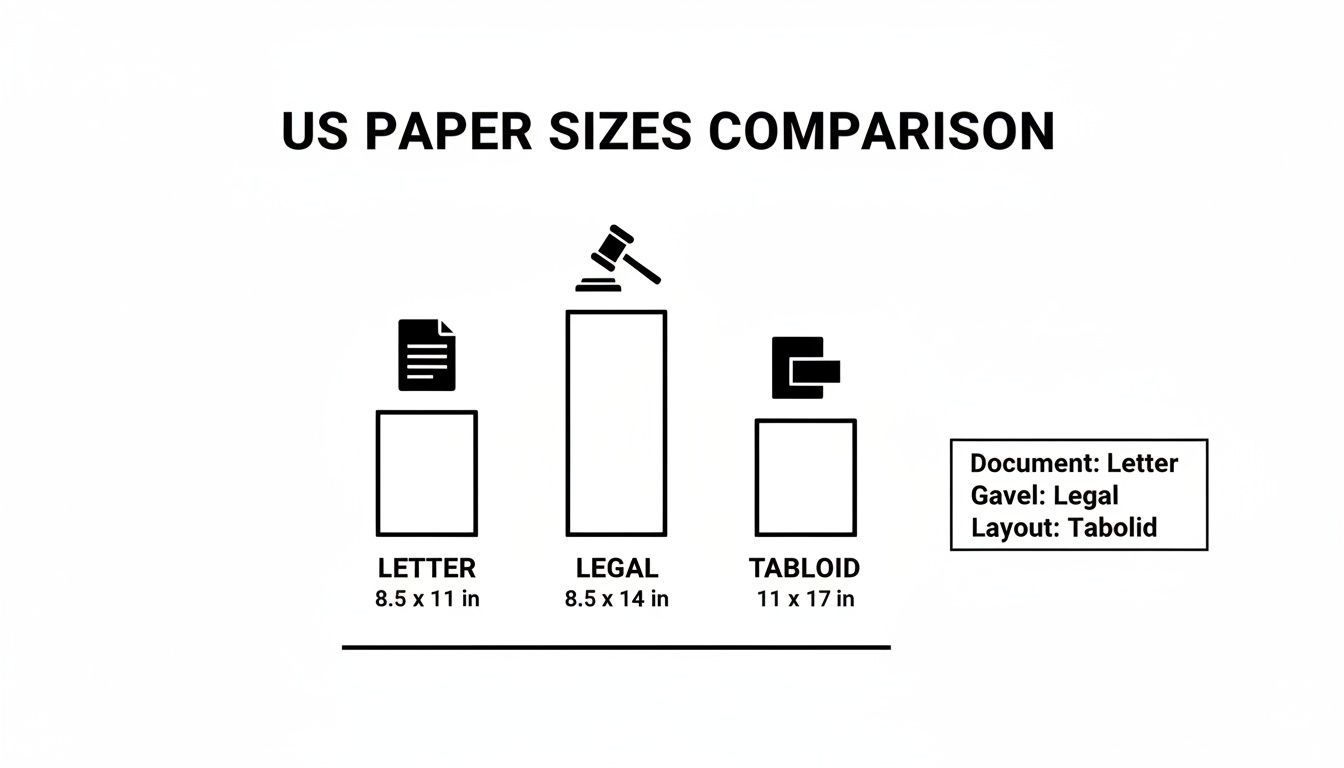
As you can see, both Legal and Letter share the same 8.5-inch width, making them compatible with most standard printers and document feeders. The key difference is that extra vertical real estate you get with Legal paper.
Standard US Paper Sizes At a Glance
For those who work with design software like Adobe Photoshop or need to prepare digital files for printing, knowing the pixel dimensions is just as important. Here’s a quick-reference table that breaks down the specs for the three main US paper sizes.
| Paper Size | Dimensions (Inches) | Dimensions (Millimeters) | Dimensions (Pixels @ 300 DPI) |
|---|
| Letter | 8.5" x 11" | 215.9 x 279.4 mm | 2550 x 3300 px |
| Legal | 8.5" x 14" | 215.9 x 355.6 mm | 2550 x 4200 px |
| Tabloid | 11" x 17" | 279.4 x 431.8 mm | 3300 x 5100 px |
Having these numbers handy ensures that whether you're printing, scanning, or designing from scratch, your document will be perfectly scaled for the intended paper size.
The History and Purpose of Legal Size Paper

The very specific legal size paper dimensions of 8.5 x 14 inches weren’t just picked out of a hat. They’re a direct result of an early 20th-century push for industrial efficiency. Before things were standardized, paper sizes were all over the place, which created a ton of waste during manufacturing and printing.
That all started to change in 1921. The U.S. Bureau of Standards put together the Committee on the Simplification of Paper Sizes to develop a more economical system. This group, which included major players from the paper industry, based the new standards on large commercial sheets measuring 17x22 and 17x28 inches. By folding these sheets in half twice, they could create both standard letter and the longer legal size paper with almost no waste. It was a simple but brilliant move that transformed production. You can dive deeper into this initiative by reading this detailed history of legal-sized paper.
Why the Legal Profession Adopted This Size
It didn't take long for the legal world to embrace the 14-inch length for some very practical reasons. That extra three inches of vertical space, a 27% increase over standard letter paper, turned out to be incredibly useful for day-to-day legal work.
- Extensive Notes: It gave lawyers plenty of room to scribble detailed notes and annotations right in the margins during meetings or court sessions.
- Detailed Clauses: Complex contracts with numerous clauses and sections could be laid out much more clearly on one page, avoiding confusion.
- Ample Signature Space: The added length provided more than enough room for multiple signatures, notary stamps, and official seals without making the page feel cramped.
This extra real estate simply made documents easier to draft, read, and manage. It quickly became the go-to standard for formal legal and business documents across North America, a tradition that continues to this day.
How Legal Size Compares to Letter and International Standards
Here in North America, legal and letter size paper are the everyday standards, but it's easy to get them mixed up. It's also crucial to understand how our sizes stack up against international formats to avoid printing headaches.
The most common point of confusion is between Legal size and Letter size paper. While they share the exact same width of 8.5 inches, Letter paper is only 11 inches long. Legal paper gives you an extra three inches of vertical real estate.
That added length is the whole point. It gives you 27% more vertical space, which makes a real difference for dense documents. Think of a lengthy contract or a detailed financial statement—that extra room means you can fit more text or signature lines on a single page without everything feeling cramped.
North American vs. International Paper Sizes
Things get a little more complicated when you're dealing with documents from outside the U.S. and Canada. Most of the world runs on the ISO 216 standard, where A4 (8.3 x 11.7 inches or 210 x 297 mm) is the go-to for business correspondence.
The big difference isn't just the measurements; it's the math behind them. The ISO system maintains a constant aspect ratio (1:√2). This means an A3 sheet is precisely twice the size of an A4, and an A5 is exactly half. Our North American sizes, like Legal and Letter, don't have that kind of logical relationship.
This fundamental design difference is why printing international documents can be so tricky. If you print a document formatted for A4 onto Letter paper, you'll likely lose content in the margins. Flip it around, and a Letter-sized file printed on A4 will have huge, awkward white space at the top and bottom.
To save yourself the trouble, always double-check which regional standard you should be using before hitting print or sending a file to an international colleague. Here’s a quick-glance comparison of the key players:
| Standard | Dimensions (Inches) | Dimensions (Millimeters) | Common Region |
|---|
| US Legal | 8.5" x 14" | 215.9 x 355.6 mm | North America |
| US Letter | 8.5" x 11" | 215.9 x 279.4 mm | North America |
| ISO A4 | 8.3" x 11.7" | 210 x 297 mm | International |
When to Use Legal Size Paper in Your Business
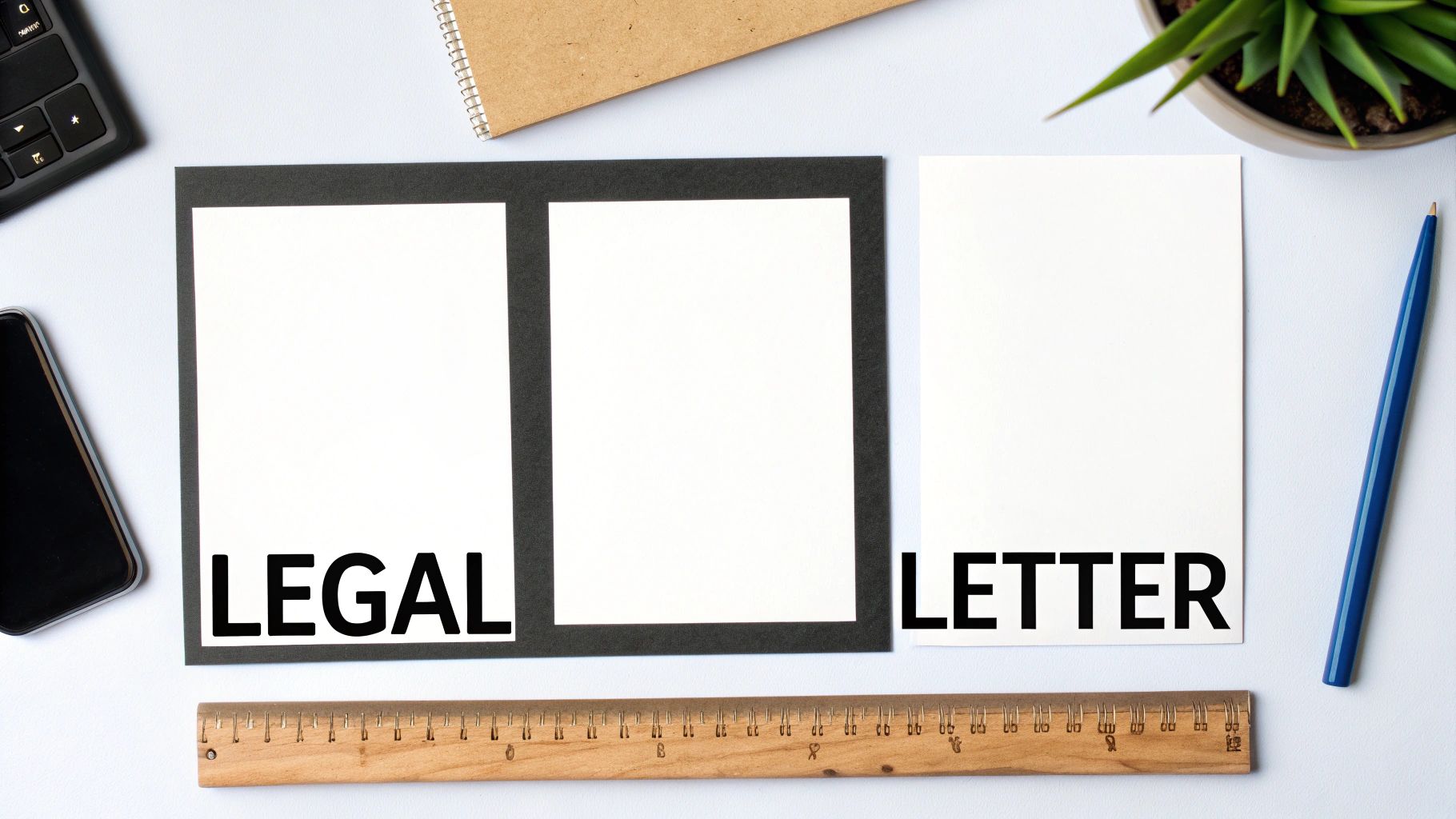
Don't let the name fool you. While legal size paper is a staple in law offices, its real value is in providing extra space for any document that needs to be detailed, clear, and professional. Those extra three inches of length you get compared to a standard letter-size sheet make a world of difference. It’s perfect for anything that would otherwise feel cramped or spill over onto a second page.
Its most obvious home is, of course, the legal industry. The added length is practically designed to handle dense paragraphs, long clauses, and multiple signature lines without sacrificing readability or a clean layout.
Common Uses in Law Firms
The standard legal size paper dimensions of 8.5 x 14 inches are practically tailor-made for the kind of official paperwork that defines legal practice.
- Contracts and Agreements: Service agreements and complex multi-party contracts fit neatly onto a single page, keeping all the crucial terms and conditions in one place.
- Real Estate Documents: Think about deeds, leases, or title documents. They're often packed with long property descriptions and boilerplate language that just flows better on a longer page.
- Legal Briefs and Affidavits: These documents need to be exhaustive. The expanded format helps lay out arguments and sworn statements in a logical, organized way.
In the United States and Canada, its 27% taller profile has been the standard for professional legal work for generations. In fact, while it only makes up 10-15% of total office paper usage in the U.S., the legal sector is responsible for 60% of that demand. You can find more legal paper usage insights at abmcol.com.
Applications Beyond the Legal Field
Legal size paper is far more versatile than you might think and has found a home in many other industries where detail is key. Financial institutions, for instance, often rely on it for printing comprehensive reports, loan documents, and spreadsheets with countless rows of data.
Using legal size paper for complex information isn't just about fitting more on the page; it's about improving the user experience. A well-organized, single-page document is far easier for a client to review and understand than a stapled packet of letter-sized sheets.
You'll also see it used creatively in other fields. Restaurants print their menus on it to display more items, and manufacturing companies use the longer format to create detailed assembly manuals where instructions and diagrams can be laid out clearly.
Getting Your Digital Files Ready for Legal Size Printing
Getting your digital document set up correctly is the single most important thing you can do to make sure it prints properly on legal paper. I’ve seen it a hundred times: mismatched page settings are the top reason for printing headaches, from clipped text and weird margins to stacks of wasted paper. The good news is, fixing this in most programs is a piece of cake.
Whether you're working in Microsoft Word, Google Docs, or even a design tool like Adobe Acrobat, your first move should always be to set the page size. You need to choose Legal or manually type in the legal size paper dimensions of 8.5 x 14 inches (216 x 356 mm) before you start adding content. When you set the page size from the get-go, you're building your document on the right foundation, ensuring everything flows and fits as it should.
Key Settings to Check Before You Print
With your page size locked in, there are a few other settings that can make or break your final printout. Paying a little attention here saves a lot of frustration later.
- Margins: As a rule of thumb, set your margins to at least 0.5 inches on all four sides. This creates a "safe zone" and guarantees no text or graphics get cut off. Most office printers simply can't print all the way to the edge of the sheet.
- Image Resolution: If your document includes any graphics, like a company logo, make sure they have a resolution of at least 300 DPI (dots per inch). This is the standard for high-quality printing and ensures your images look crisp and professional, not fuzzy or pixelated.
- Print Bleed: For documents where color or images need to run right to the edge (think brochures or formal reports), you'll need to add a "bleed." This just means extending the design 0.125 inches past the page's final trim line on every side.
This screenshot from Microsoft Word shows you exactly where to find the page size options. Just head to the "Layout" tab.
As you can see, "Legal" is a built-in preset. One click is all it takes to get the correct 8.5 x 14 inch format locked in.
Troubleshooting Common Printing and Scaling Issues
Even when your digital files are perfectly set up, printing on legal paper can throw you a curveball. We've all been there: text gets clipped off the page, or you end up with huge, awkward white spaces. These frustrating little errors almost always trace back to the scaling settings in your printer’s dialogue box.
Getting a handle on these settings is the secret to avoiding wasted time and paper. When you hit "Print," you’ll typically see options like "Actual Size" and "Fit to Page." The right choice really depends on what you're trying to accomplish. If your document was created on an 8.5 x 14 inch canvas, "Actual Size" is your best friend.
Scaling Documents Correctly
The real trouble starts when you're trying to print a standard letter-sized document onto legal paper. If you print it at "Actual Size," you'll get a professional document with three inches of glaringly empty space at the bottom. It just doesn't look right.
The fix is simple: select "Fit to Page" or "Scale to Fit". This command tells your printer to intelligently enlarge the 8.5 x 11-inch content to fill the longer 14-inch page. Yes, it makes the text and images a little bigger, but the result is a clean, proportional, and full-page document.
The same logic works in reverse. Trying to squeeze a legal document onto letter paper? Use "Fit to Page" to shrink the content down. This ensures you don't lose that critical last paragraph or signature line off the bottom of the page.
Pro Tip: Before you print a 50-page contract, always hit "Print Preview." It’s a simple click that lets you spot any scaling or margin disasters before they happen. It's the single best way to avoid a costly and embarrassing mistake.
Why North America Uses Different Paper Sizes
Ever tried to print a document from a European colleague and had the bottom of the page cut off? That little frustration is a direct result of a global divide in paper standards. While most countries have adopted the logical, metric-based ISO 216 system (which gives us the familiar A4 paper), North America marches to the beat of its own drum with sizes like Letter and Legal.
This split isn't random; it's rooted in history. The ISO standard, born from a German system in the 1920s, was brilliantly designed with a constant aspect ratio, making it simple to scale documents up or down without distortion. Meanwhile, the American system was a product of pragmatism. A 1921 U.S. government initiative aimed to reduce industrial waste by standardizing paper from common large commercial sheets, giving us the sizes we use today, including the fixed 8.5 x 14 inches of a legal sheet. You can dig deeper into these historical paper standards and their impact.
Navigating the International Divide
For any business that works with international partners, this difference is more than just a quirky fact—it's a practical hurdle that can make you look unprofessional if you're not careful.
Knowing which standard your recipient uses is the first step to avoiding common pitfalls.
- Document Reflow: When a document designed for A4 is printed on Letter paper, you'll almost always lose the content at the bottom of the page.
- File Exchanges: Sending a contract formatted for US Legal size to a client in London will likely cause printing headaches, as their systems are all set up for A4.
The golden rule is simple: always confirm the regional standard your audience expects before you finalize and send any important files. It’s a small step that prevents big problems.
Your Questions About Legal Size Paper, Answered
Working with different paper sizes always brings up a few practical questions. If you're scratching your head about legal paper, you're not alone. Let's clear up some of the most common points so you can handle these documents with confidence.
Can My Home Printer Handle Legal Size Paper?
Good news: most modern printers you'd find in a home or small office can absolutely print on legal size paper. The key is adjusting the paper tray. You'll need to extend the guides to fit the longer 14-inch dimension.
Once you've loaded the paper, the final step is crucial: go into your print dialogue box on your computer and make sure you've selected "Legal" as the paper size. If you don't, your document will either be cut off or scaled incorrectly. When in doubt, a quick check of your printer’s manual always helps.
What's the Difference Between Legal and Foolscap Paper?
While both are known for their extra length, they aren't the same. US legal paper is a standard 8.5 x 14 inches.
Foolscap, on the other hand, is an old British imperial size, measuring 8 x 13 inches. You almost never see foolscap in the United States or Canada anymore, as the legal format has long been the standard for official documents here.
Why Do They Call It "Legal" Paper Anyway?
The name is pretty literal—it comes directly from its history with lawyers. Back in the day, legal professionals needed more room for drafting lengthy contracts, deeds, and official court filings.
That extra three inches of space on a legal sheet was perfect for cramming in more text, leaving room for handwritten notes in the margins, and collecting multiple signatures on a single page. It was a practical solution before word processors made everything so easy.
How Do I Scan a Legal Size Document?
Most all-in-one office printers or dedicated scanners are built for this. Both the automatic document feeder (ADF) and the flatbed glass are usually long enough to handle legal paper.
The trick is to tell the software what you're doing. Before you hit the scan button, dive into the settings and specify the document size as 'Legal' (8.5 x 14 inches). This ensures the scanner captures the entire page from top to bottom, so you don't lose that last crucial paragraph or signature line.
When you need professional printing done right—from critical legal documents to vibrant marketing collateral—you can count on the team at Camelot Print & Copy Centers. We're obsessed with quality and known for our quick turnarounds. Learn more about our services and get a quote today.