When you're searching for "printing near me," you’re not just looking for a service—you're looking for a partner. The right local printer becomes a vital part of your team, making sure your marketing materials, critical documents, or event banners come out looking sharp and arrive right on schedule. Think of this guide as your roadmap to finding that perfect partner without the guesswork.
Your Quick Guide to Finding Local Printing Services
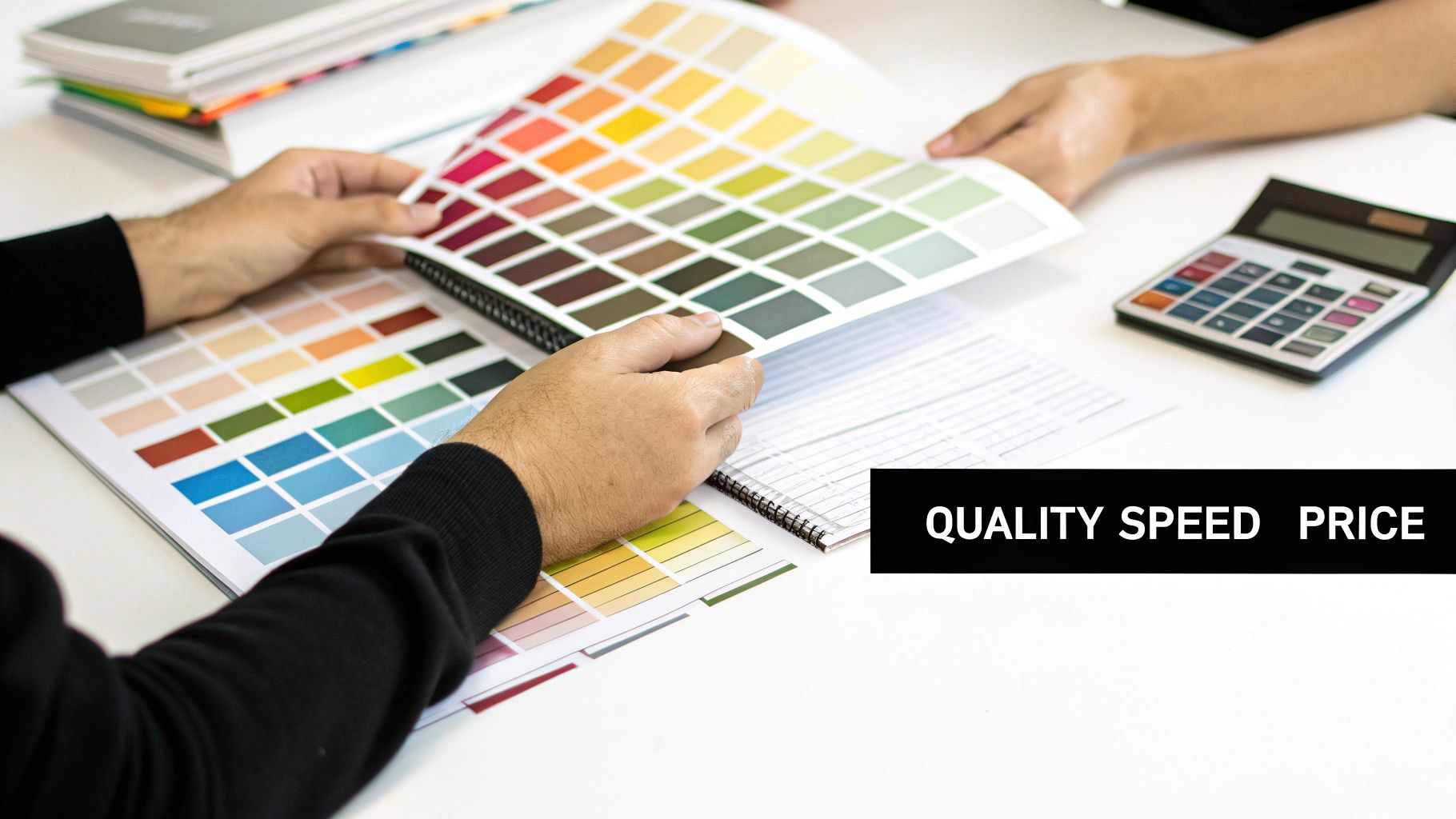
Finding the right local printer really comes down to a balancing act between three key factors: quality, turnaround time, and price. Every project is different, so your top priority will shift. Prepping for a huge trade show where impressions are everything? You'll want to lean heavily on quality. Got a last-minute direct mail campaign that needs to go out tomorrow? Speed is the name of the game. For routine internal documents or massive bulk orders, the budget might be the most important piece of the puzzle.
Knowing what you need is half the battle in an industry that’s a quiet giant. The global printing market is worth around $960 billion, with the U.S. market alone expected to top $80 billion. That's because print constantly adapts, especially with digital printing technology that delivers incredible quality fast. If you're curious, you can explore more data on the printing industry's growth.
Prioritizing Your Printing Needs
To make the choice easier, start by figuring out your single most important goal. This flowchart breaks down the decision into a simple path, helping you nail down what truly matters for this specific job.
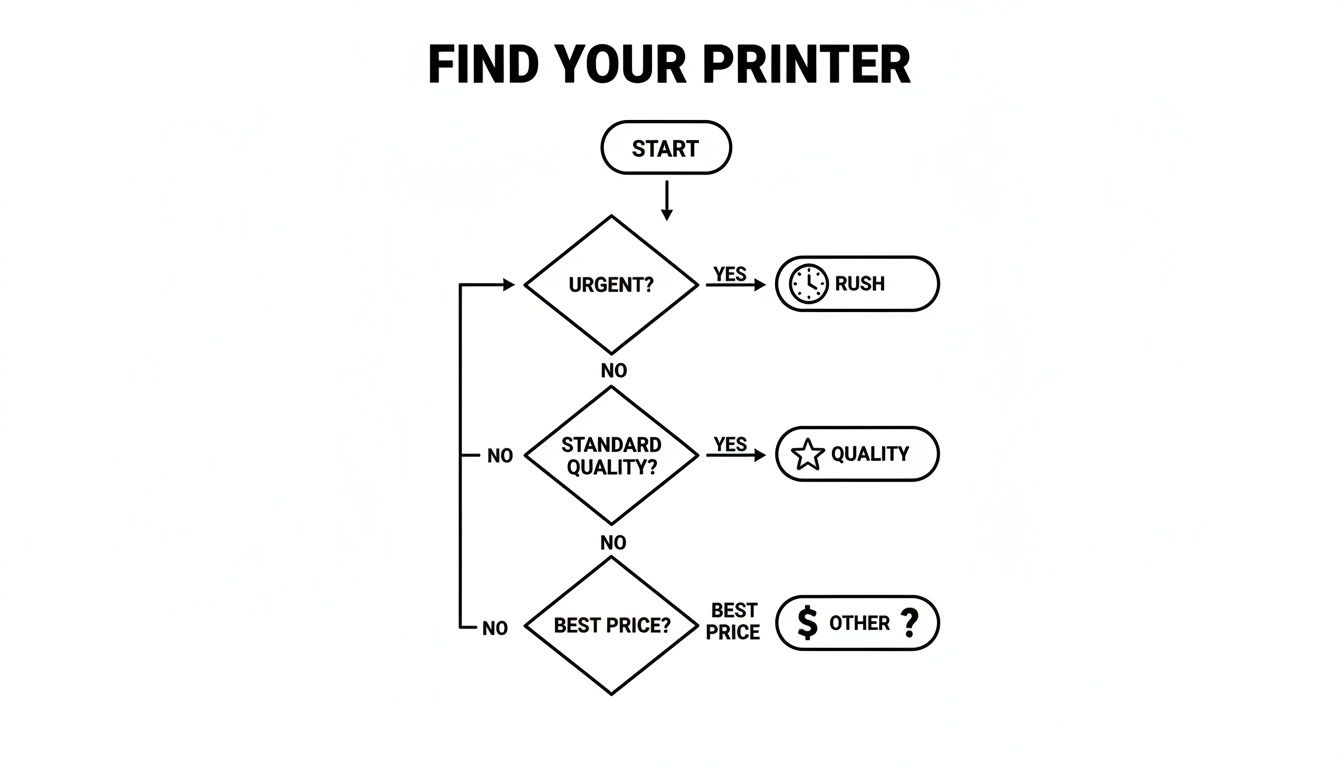
As you can see, the first step is always identifying your non-negotiable: Is it speed, quality, or staying on budget? Once you know that, you can start narrowing down the print shops that are best equipped to deliver.
This guide is built to be a practical resource, walking you through everything from checking print samples to getting your files print-ready. By the end, you’ll know exactly how to turn your "printing near me" search into a successful partnership with a reliable expert like Camelot Print & Copy Centers. The goal is a flawless final product, and we're here to show you how to achieve it.
How to Find the Best Local Print Shops
Finding a great local printer is about more than just a quick "printing near me" search. The right shop becomes a partner, someone you can count on for quality and reliability. The key is to start with a smart strategy to build a shortlist of printers that are both qualified and convenient.
While online searches are a good starting point, you need to dig deeper. Use local business directories and platforms like Google Maps, but don't just glance at the star ratings. Read the actual reviews. I always pay close attention to comments about turnaround times, customer service, and print quality—that's where you'll get the real story on how a shop performs under pressure.
A high star rating is promising, but detailed reviews from repeat business customers are gold. Look for testimonials that mention specific projects, like "they perfectly matched our brand colors on a rush order of brochures." That kind of detail points to real expertise and reliability.
Refining Your Search for Specialized Services
A generic search often gives you generic results. If you have specific industry needs, you have to get specific with your search terms. This is a game-changer for professionals with unique requirements.
- For AEC Professionals: Try searching for "AEC plan printing near me" or "blueprint reproduction services." This will help you find shops with the right wide-format printers and staff who actually understand construction documents.
- For Legal Teams: Use phrases like "legal document binding" or "litigation copy services." You'll connect with printers who are used to handling confidential materials and know the specific finishing requirements for court filings.
This targeted approach immediately filters out the all-purpose copy centers and points you toward specialists who get the standards and materials your industry relies on.
Leverage Your Professional Network
As powerful as online searches are, never underestimate a good old-fashioned word-of-mouth recommendation. Ask colleagues, business partners, or people in your local chamber of commerce who they trust with their printing. A personal referral is often the most honest review you can get.
For instance, asking another local marketing manager about their experience getting trade show banners printed can tell you far more than a dozen anonymous online reviews. This kind of direct feedback is invaluable. By combining smart online research with trusted recommendations, you’ll be able to build a solid shortlist and find a reliable local partner for all your print projects.
Finding the Right Balance: Quality, Speed, and Price
You’ve done your "printing near me" search and have a few promising candidates. Now comes the real work: figuring out which one truly fits your needs. It all boils down to the classic trio of printing: quality, speed, and cost. Nailing the right balance here is everything. After all, a rock-bottom price is worthless if the final product looks amateurish, and a masterpiece that shows up a week late is just a fancy paperweight.
This is where you dig deeper than what their website says. It’s time to get tangible proof that they can deliver on their promises, whether you’re printing a simple run of postcards or a set of intricate architectural plans.
Get Your Hands on Their Work: Judging Print Quality
You can't judge a print job through a screen. Digital photos can hide a multitude of sins, so the only way to really know what you’re getting is to see and feel it for yourself.
Here’s how to do your due diligence:
- Ask for physical samples. This is non-negotiable. If you need a booklet, ask to see a booklet they've printed for another client. Look closely at the color. Is it rich and accurate? Are the photos crisp and clear? How does the paper feel?
- Talk about paper stock. Ask what kinds of paper they have in-house. A good printer will have a variety of weights (measured in gsm or lbs) and finishes like matte, gloss, or uncoated. They should be able to walk you through the options and explain why a certain stock is a better fit for your project’s durability and feel.
- Ask about their gear. What kind of presses are they running? Many shops today use sophisticated digital printing technology, which delivers incredible quality and is perfect for shorter runs and personalized pieces. It’s a huge part of why the U.S. market segment is on track to exceed $25 billion. You can get a better sense of this by learning more about the state of the print industry.
A quick tip: if a print shop seems hesitant to show you physical samples or talk about their equipment, that’s a major red flag. Professionals who take pride in their craft are always eager to show it off.
Talking Timelines and Money
Speed and price usually go hand-in-hand. Need it yesterday? It's probably going to cost you more. To avoid any last-minute sticker shock, you need to get crystal clear details upfront.
When you're talking about timing, ask what their standard production schedule looks like for a job like yours. Be sure to find out if they can handle rush orders and what those extra fees look like. If they offer local delivery—something we specialize in at Camelot—get the specifics on their schedule and any delivery charges.
On the pricing front, never accept a verbal quote. Always ask for a detailed, itemized estimate that breaks everything down. This is the only way to accurately compare different printers and make sure there are no hidden charges for setup, file prep, or finishing touches. By carefully weighing quality, speed, and cost, you'll find a partner who can hit your deadline and budget without sacrificing a professional result.
Preparing Your Files for Flawless Printing
Sending your local printer a properly prepared, print-ready file is the most critical thing you can do to guarantee your project comes out right. When a file is formatted correctly from the start, it cuts down on back-and-forth emails, avoids surprise costs, and ensures the final product looks exactly like you imagined. It's like handing over a perfect blueprint.
Let's walk through the essentials. Getting these details right is the final, crucial step in your search for "printing near me" that ends with a professional result you'll be proud of.
Core Technical Specifications
Before you hit "save" for the final time, a few technical settings absolutely have to be correct. For professional printing, understanding resolution and color mode isn't just a good idea—it's essential.
- Resolution (DPI): For anything that will be printed, your file resolution needs to be 300 DPI (dots per inch). Images you find online are almost always 72 DPI, which is fine for screens but will look fuzzy and pixelated on paper. Make sure your design document is set to 300 DPI from the very beginning.
- Color Mode (CMYK): Computer monitors and phone screens create color using RGB (Red, Green, Blue). Commercial printers, on the other hand, use a four-color process called CMYK (Cyan, Magenta, Yellow, Black). To make sure the colors you print match what you see on your screen, your file must be designed and exported in CMYK mode.
One of the most common mistakes we see is someone designing a beautiful file in RGB and only converting it to CMYK at the very last second. This can lead to dramatic color shifts, often making bright, vibrant brand colors look flat or muddy. Always start your project in CMYK.
Setting Up Bleed and Crop Marks
Ever gotten a flyer or business card back with a weird, thin white sliver along one edge where the color should have gone all the way to the end? That's a classic sign of a file that was missing a bleed.
A bleed is a small, extra safety margin of your background color or image—usually 1/8th of an inch (0.125")—that extends past the final trim line of your document. Printers print on oversized sheets and then cut them down. This little bit of extra image ensures that even if the cut is off by a hair, you won't see any unprinted paper on the final piece.
Your printer also needs crop marks. These are tiny lines in the corners of your exported file that show the operator exactly where to make the cuts. Most professional design programs, like Adobe Illustrator or InDesign, have a simple checkbox to add these for you when you export to PDF.
Here's a quick reference to keep these settings straight.
Print File Preparation Cheat Sheet
| Specification | Recommended Setting | Common Mistake to Avoid |
|---|
| Resolution | 300 DPI | Using low-resolution (72 DPI) web images. |
| Color Mode | CMYK | Designing in RGB and converting at the end. |
| Bleed | 0.125" (1/8") on all sides | Forgetting to extend the background past the trim line. |
| Crop Marks | Enabled on export | Not including trim guides for the printer. |
| File Format | Press-Quality PDF | Sending editable files like .ai, .psd, or .docx. |
Getting a handle on these file prep basics makes a world of difference. You’re not just sending a file; you’re giving your local print shop everything they need to do their best work, turning your ideas into something real and impressive.
Navigating Specialized Printing for Your Industry
Some industries have printing needs that go way beyond simple business cards or flyers. When your work demands absolute precision, ironclad security, or specific, non-standard formats, you can't afford to just go with any print shop. Partnering with a local printer who genuinely understands your field isn't just a nice-to-have; it's fundamental to upholding your professional standards. A generic search for "printing near me" probably won't cut it.
This focus on specialized service is what’s keeping the best printers in business. While the overall commercial printing market has its ups and downs, the industry as a whole is valued at a massive $868.3 billion precisely because it meets these unique demands. It's a clear signal that the print providers who thrive are the ones who master high-value, niche services. If you’re curious, you can explore more about global commercial printing trends and see for yourself how specialization is driving the industry forward.
Printing for Architecture, Engineering, and Construction (AEC)
If you're in the AEC world, you know that accuracy is everything. Your average copy shop just doesn't have the wide-format printers or the technical know-how to produce the crystal-clear plans your projects depend on.
- Plan Reproductions and Blueprints: You need a printer who can reproduce large-format documents with incredibly crisp lines and perfectly legible text. Every single detail has to be right.
- Specification Books: These aren't just any documents. They need to be tough. A good printer will recommend durable binding, like coil or GBC binding, so your spec books can survive daily use on a busy job site.
Secure Printing for the Legal Field
The legal profession runs on confidentiality and rigid formatting rules. A specialized printer like Camelot gets this, offering services most general printers can't, from secure document handling to an in-depth knowledge of court-specific standards.
Important services here include things like litigation copying, professional document binding for court submissions, and high-quality exhibit printing. For a local firm, having a printer who offers fast pickup, delivery, and even free drop-offs to the local courthouse can be a huge operational advantage.
Compliant Printing for Healthcare and Education
Healthcare providers need a printing partner who is well-versed in HIPAA regulations to handle sensitive patient forms and medical charts with the required security.
In the same vein, educational institutions often need high-volume printing for everything from coursework packets and event banners to informational booklets—all while working with tight deadlines and even tighter budgets.
Ultimately, finding a local printer with direct experience in your industry means you're working with someone who already speaks your language. They know the materials, the finishing options, and the security protocols your work requires, ensuring the final product meets your professional standards every single time.
Frequently Asked Questions About Local Printing
When you’re trying to find a professional printer, it's natural to have a few questions. Getting a handle on costs, file types, and timelines can feel a little overwhelming at first, but with the right info, it all becomes much clearer. This section breaks down the questions we hear most often, so you can feel confident placing your next order.
Knowing the answers to these helps you speak the same language as your print shop, which makes for a smoother project and a final product that looks exactly like you envisioned.
What Factors Influence the Final Cost of My Print Job?
Several key things go into pricing a print job. It’s not just about how many you need, though volume is definitely a big one—ordering more almost always brings down the cost per piece.
But there are other critical parts to the puzzle:
- Paper and Stock: The type of paper, its thickness (or weight), and the finish you choose (like glossy, matte, or uncoated) all play a big role in the final price.
- Color Complexity: A full-color print job using CMYK inks will cost more than a simple black-and-white or single-color run.
- Finishing Services: Anything that happens after the ink is on the paper—like binding, laminating, folding, or custom cutting—will add to the total.
- Urgency: Need it yesterday? Rush orders that jump the production queue usually come with an extra fee to make it happen.
Which File Format Is Best for Professional Printing?
Hands down, the industry standard is a high-resolution PDF (Portable Document Format). We always ask for this format because it essentially locks all your design elements—images, text, fonts, and layout—into one neat, predictable package.
When you send over a PDF, you can be sure that what you see on your screen is exactly what our presses will reproduce. Just make sure to export your design using a "Press Quality" or "High-Quality Print" setting in your software to get the best possible results.
What Is a Print Bleed and Why Do I Need It?
A "bleed" is a small, extra margin—usually 1/8th of an inch (or 3mm)—that extends your design beyond the final trim line of the page. It's a non-negotiable part of file prep for any design where you want ink or images to go right to the very edge.
Think of a bleed as a safety zone. Commercial printers cut huge stacks of paper at once, and this little bit of extra design ensures you won't see any ugly white slivers if the cutting blade shifts even a tiny bit. It’s the secret to getting that clean, professional, edge-to-edge finish.
What Is a Realistic Turnaround Time for a Print Order?
Turnaround times really depend on the specifics of the job. Something straightforward, like a standard batch of flyers or business cards, can often be ready in 1-3 business days.
On the other hand, more involved projects that require special finishes, binding, or very large quantities will naturally take a bit longer, usually somewhere in the 5-7 business day range. It’s always a good idea to confirm the production schedule with your printer before you sign off, especially if you have a hard deadline.
Whether your project is a few simple copies or a full suite of marketing materials, having a reliable local partner changes everything. The team at Camelot Print & Copy Centers is here to answer all your questions and deliver top-notch results on schedule. Get a quote for your next project today!