Picking a printer paper size might seem like a small detail, but it’s one of those things that can make or break a project. Get it right, and your work looks sharp and professional. Get it wrong, and you’re stuck with wasted paper, blown budgets, and a final product that just doesn't hit the mark.
This guide will walk you through the world of paper standards, helping you turn a simple choice into a smart business decision.
Why Printer Paper Size Is Your Secret Business Tool
Think about the last document you held. Was it a crisp proposal, an eye-catching flyer, or a legal contract? The paper it was printed on sent a message long before you read the first word. That's because paper size isn't just a set of dimensions; it’s a core part of how your document functions and how your brand is perceived.
Choosing the right size from the start saves you from frustrating reprints and unnecessary costs. Imagine printing an international marketing brochure on standard US paper—it can instantly look out of place to a global audience. Or worse, submitting a legal filing on the wrong size could render it non-compliant.
Impact on Professional Image and Efficiency
The paper you choose sends a clear signal about your attention to detail. When everything is consistent and correctly formatted, it shows you mean business. On the flip side, a poor choice can lead to some real headaches:
- Wasted Materials: Printing a small design on a large sheet isn't just bad for the environment; it’s bad for your bottom line.
- Unprofessional Results: When a design has to be awkwardly stretched or shrunk to fit the wrong paper, it looks amateurish and can seriously damage your brand's image.
- Missed Opportunities: A brilliant design for a poster or flyer can completely lose its impact if it’s confined to a size that doesn’t give it room to shine.
Choosing the right paper is the first step to a flawless final product. It ensures that your message, whether on a blueprint or a business card, is received exactly as you intended—with clarity and professionalism.
This guide will break down the two major systems—the North American standards and the international ISO standards—so you can tackle any printing project with confidence.
Understanding the Dominant Standards
When you’re printing for business, you’ll almost always run into one of two paper size systems. Here in North America, we use standards like Letter and Legal, which grew out of historical manufacturing processes. Pretty much everywhere else in the world uses the ISO standard, which includes the logical "A" series of sizes like A4 and A5.
Knowing the difference is absolutely essential. In the U.S., the standard 8.5 x 11-inch Letter size is king. In fact, it's projected to make up 92% of office paper shipments in 2026. That’s a huge market share that started way back in the 1920s. This is all happening within a global paper printing market that's expected to climb from USD 331.54 billion in 2025 to USD 398.80 billion by 2030. You can dig into more statistics about the global paper printing market to see just how big this industry is.
Understanding which system to use is the key to avoiding costly mistakes and communication breakdowns. If you want an expert partner to make sure your next project is perfect from the very first step, get a quote from Camelot today.
Decoding North American vs. International Paper Standards
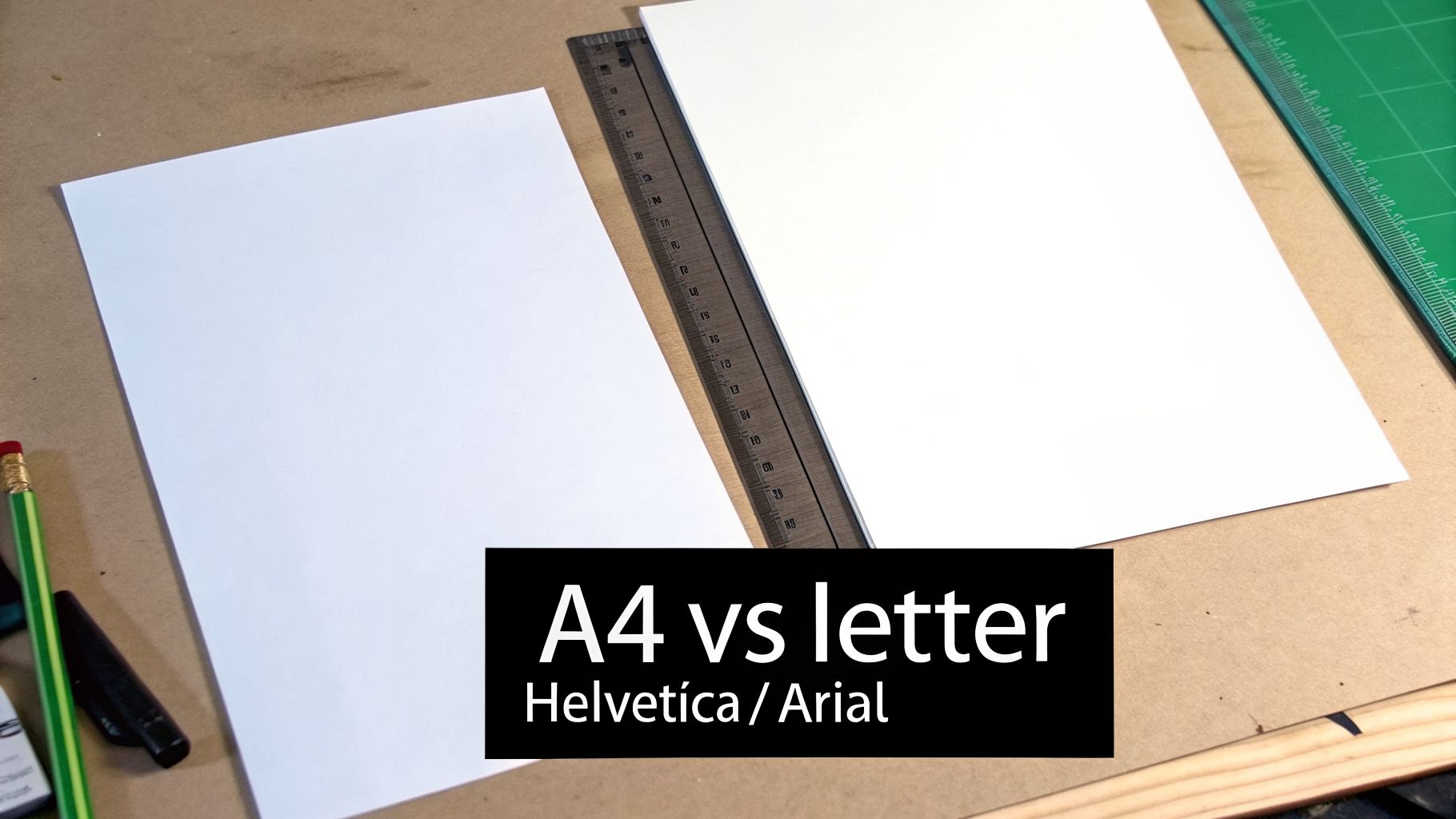
Ever tried to send a document overseas, only to find out it doesn't quite fit their binders? You’ve just run into the great paper-size divide. It’s a lot like plugging an American appliance into a European outlet—they both get the job done, but they’re built on completely different systems.
On one side, you have North American standards like Letter and Legal. On the other, there's the globally recognized ISO 216 standard, which gives us the A-series papers like the common A4. The difference isn't just a few millimeters; it's the fundamental logic behind how each system works. Getting this right is the first step to ensuring your documents always look professional, no matter where they end up.
The Logic of the ISO A-Series
The international standard, ISO 216, is a thing of beauty for anyone who values logic and consistency. It’s designed around an ingeniously simple principle that makes scaling documents incredibly straightforward.
The magic is all in the aspect ratio. Every single sheet in the A-series, from a huge A0 poster down to a tiny A8 card, has the exact same proportions. This means if you fold an A4 sheet perfectly in half along its longest side, you get two A5 sheets. Fold an A5 in half, and you get two A6 sheets. This consistent scaling is a dream for designers and marketers.
Imagine you've just finalized a beautiful A3 poster. With the ISO system, you can instantly create a perfectly proportioned A4 flyer and an A5 handout from the same design file. There’s no awkward cropping, stretching, or reformatting. It just works.
This system is no happy accident. It’s based on a concept from 1786, where a German scientist proposed a paper system with an aspect ratio of approximately 1:1.414 (the square root of 2). This ensures that when you halve a sheet, the new piece maintains the exact same proportions—a game-changer for businesses like architectural firms handling blueprints or legal teams managing contracts. You can find more details about how these standards influence the modern printing paper market to see their global impact.
The Practicality of North American Sizes
North American sizes, on the other hand, tell a different story. Standards like Letter (8.5 x 11 inches) and Legal (8.5 x 14 inches) weren’t born from a clever mathematical formula. Instead, they evolved from the practicalities of early papermaking and the day-to-day needs of American businesses.
These sizes were standardized based on the common paper mold sizes used centuries ago. While they don’t offer the seamless scalability of the A-series, they are completely ingrained in the U.S. business world. They are the go-to for:
- Corporate Reports and Memos: In any American office, Letter size is king.
- Official Correspondence: Nearly all business letters in the United States are formatted for this standard.
- Legal Filings and Contracts: That extra length on Legal paper provides more room for dense text, making it a staple in the legal field. For an in-depth look, check out our guide on https://www.camelotprintandcopy.us/print-copy-news/legal-size-paper-dimensions.
To help you visualize the differences, here’s a quick comparison of the most common sizes from both systems.
North American vs. ISO A-Series Paper Sizes at a Glance
This table makes it clear just how distinct the two systems are. An A4 is slightly taller and narrower than a Letter sheet, which is why they don't quite fit in each other's envelopes or binders.
Making the Right Choice for Your Project
So, which standard should you use? The answer really boils down to one simple question: who is your audience?
If your project is destined for an international client or a global conference, using A4 is the professional choice. Sending a proposal on Letter paper can make it look out of place and, more practically, make it difficult for your recipient to file.
Conversely, if you're operating within the U.S., Letter is almost always the right answer. Using A4 for a local court filing or a standard business report could cause real headaches with folders, binders, and filing cabinets. For a deeper dive into the specifics of international sizes like the A2 paper size, there are excellent resources available for designers and printers.
Here at Camelot, we work with both North American and ISO sizes every single day. If you're not sure which paper size is best for your project, our experts are here to help. We’ll make sure your final product is flawless, no matter where in the world it’s headed.
Matching Paper Size to Your Business Application
Okay, we’ve covered the technical differences between North American and international paper standards. Now, let's talk about what really matters: how to pick the right size for the job you need to get done. Choosing the perfect printer paper size isn't about memorizing dimensions—it’s about matching the paper to the purpose.
Think of it this way: a sheet of paper is a tool. The right one can make a document easy to handle, give a marketing piece more punch, or ensure your legal filing is accepted without a hitch. Whether you’re a small business owner creating your first newsletter, a lawyer filing a motion, or an architect drafting a blueprint, your paper choice is a crucial part of the final product.
Let's break down how specific sizes solve real-world business problems.
For Everyday Business and Marketing
For most small and mid-sized businesses, you'll find that just a few key paper sizes handle almost everything you throw at them. These are the true workhorses of the office, tackling everything from internal reports to your big marketing pushes.
Letter (8.5 x 11 inches) is, without a doubt, the king of the American office. It's the default choice for good reason.
- Internal Reports and Communications: It’s the perfect size for printing meeting agendas, memos, and financial reports that need to slip right into a standard binder.
- Client Proposals and Contracts: This familiar format feels professional and is exactly what clients expect to see for most business documents.
- Standard Flyers and Handouts: It’s a versatile and budget-friendly option for getting your message out there clearly and effectively.
Tabloid (11 x 17 inches) is what you reach for when you need to make a bigger statement without going into full-on large-format printing. The magic of Tabloid is that when you fold it in half, you get a perfect four-page Letter-sized booklet. This makes it a fantastic choice for:
- Newsletters and Small Posters: That extra real estate gives you plenty of room for eye-catching graphics and text that grab attention from across the room.
- Restaurant Menus: It provides ample space for all your items and descriptions, and it's sturdy enough to be laminated for daily use.
- Data-heavy Spreadsheets: Ever tried to print a complex spreadsheet and had it cut off? Tabloid gives you the width you need to see all the data on one page.
So, how do you choose? A simple flyer is great on Letter, but if you want your company newsletter to have that polished, magazine-like feel, printing it on Tabloid is the way to go.
For Legal Professionals
In the legal world, everything comes down to precision and procedure. Documents have to meet strict court filing rules, and contracts must be absolutely clear. Here, the right printer paper size isn't a friendly suggestion—it’s a requirement.
For legal professionals, using the correct paper size is a fundamental aspect of procedural compliance. Submitting a document on the wrong size can lead to rejection by the court, causing critical delays and reflecting poorly on the firm.
Legal (8.5 x 14 inches) is the bedrock of legal paperwork, and those extra three inches of length are there for a reason. It's built for dense, text-heavy documents. Its main uses include:
- Contracts and Agreements: The additional space is critical for fitting in long legal clauses and all the necessary signature lines without cramping the page.
- Wills and Deeds: The formal, elongated dimensions lend a sense of gravity and are the standard for many official documents.
- Court Filings: Many jurisdictions specifically require Legal size for motions, pleadings, and other critical submissions.
While lawyers certainly use plenty of Letter size paper for correspondence and internal memos, Legal paper remains the non-negotiable standard for formal documentation in the United States.
For Architecture, Engineering, and Construction (AEC)
When you're in the AEC industry, accuracy can be a matter of safety and structural integrity. You simply can't afford for blueprints, plans, or technical drawings to be illegible. For these professionals, large-format architectural sizes are absolutely essential.
The ARCH series was developed specifically for this field, giving architects and engineers the scale they need to make complex details easy to read on a busy job site.
- ARCH C (18 x 24 inches): This is a popular size for smaller projects or for individual detail sheets that are easy to carry around on-site.
- ARCH D (24 x 36 inches): Often considered the industry standard, this size is perfect for full construction drawings, showing a complete view of floor plans and elevations.
- ARCH E (36 x 48 inches): Reserved for massive projects, this size ensures that even the tiniest, most intricate details of a large structure are perfectly clear.
Trying to shrink these plans down to a standard office paper size would make them completely useless. Key dimensions would become impossible to read, introducing huge risks to the project. Using the right printer paper size is fundamental to making sure a project gets built safely and exactly to spec.
No matter your field, the right paper choice can make or break your project. If you want to be sure your next print job is done perfectly, the team at Camelot is here to help. Get a quote today and let our experts take care of the details for you.
Your Essential Printer Paper Size Reference Chart
Think of this section as your cheat sheet for any print project. You'll probably want to bookmark it. We've put together a practical guide based on years of helping clients pick the perfect paper, so you can get it right every time.
This isn't just a list of numbers. We connect every standard paper size—from the familiar Letter and Legal to large-format architectural sheets—to the real-world jobs they were made for. You'll find dimensions in both inches and millimeters, along with our own expert tips to make your project look its best.
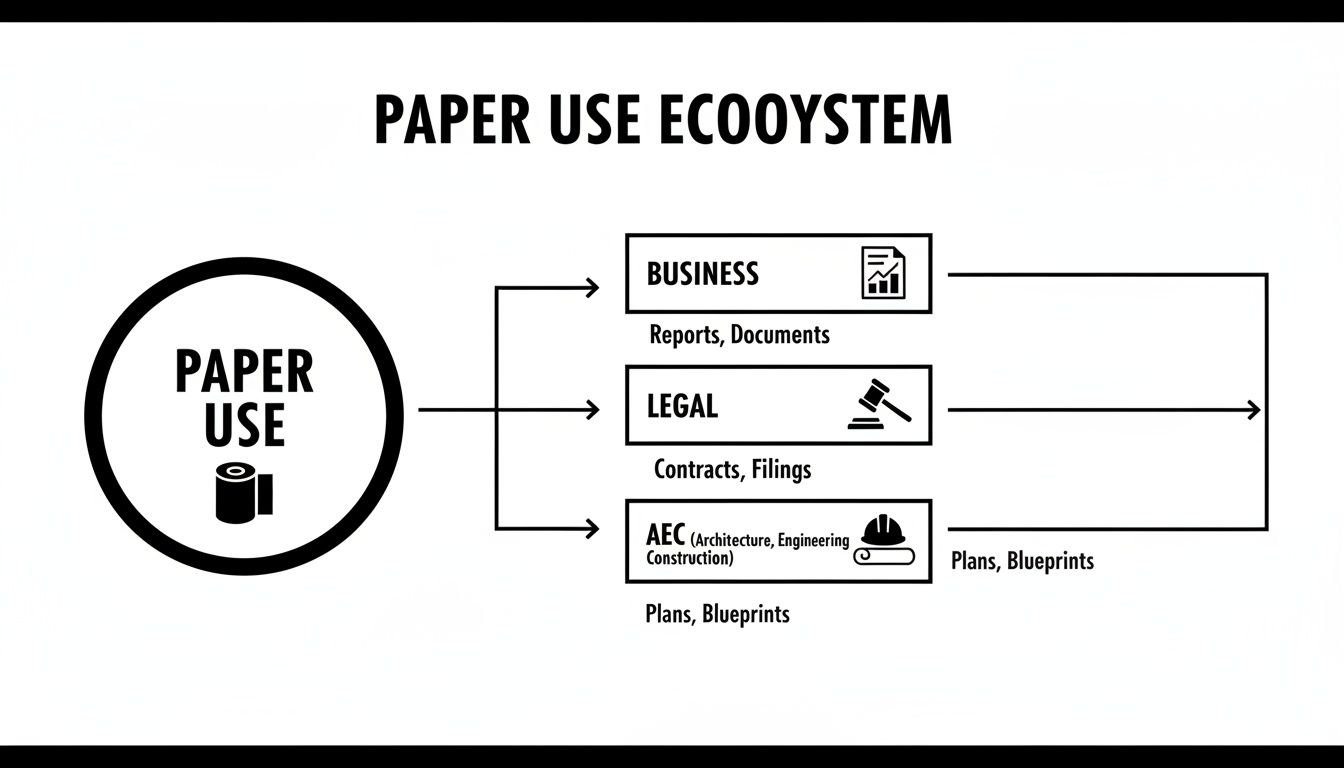
As you can see, choosing a paper size is rarely a random decision. For professionals in business, law, and architecture, the right paper is essential for clear communication, meeting industry standards, and presenting a polished, professional image.
Comprehensive Paper Size Chart Dimensions and Professional Recommendations
Here’s where the data meets the real world. We've compiled the most common North American and international paper sizes into one easy-to-use chart. Use the 'Best For' column to quickly match a size to your project, and check the 'Camelot Pro-Tip' for insider advice that makes a noticeable difference.
With this table, you're well-equipped to make an informed choice for nearly any project that comes across your desk.
Beyond Dimensions: It's Also About the Feel
While dimensions give your project its shape, the paper weight gives it substance and a tactile quality. It’s measured in pounds (lb.) or grams per square meter (GSM)—the higher the number, the thicker and more rigid the paper.
Think of it like this: a 20 lb. bond paper is fine for everyday office copies, but a hefty 80 lb. cover stock is what gives a business card or postcard its sturdy, premium feel.
Getting the combination of size and weight just right is what separates an average print job from a truly professional one. If you're ever stuck trying to decide, just give us a call. We're always happy to share our expertise.
How to Set Up Your Digital Files for Perfect Printing
The leap from a beautiful design on your monitor to a finished piece in your hands all comes down to the file setup. Getting this part right from the get-go is the single best way to avoid the most common (and frustrating) printing errors. It’s what ensures the design you poured your heart into looks exactly as you imagined, without any weird white borders, chopped-off text, or fuzzy graphics.
Think of it like giving your printer a perfect set of instructions. When the file is prepped correctly, you save yourself a ton of time, money, and headaches. We’ll walk through the essentials to get your files print-ready for any printer paper size.
Start with the Correct Document Dimensions
Before you even think about placing a logo or typing a single word, your very first move should be setting the document size. Make sure the canvas dimensions in your software—whether it's Adobe InDesign, Canva, or Microsoft Publisher—perfectly match the final, trimmed size of your project. If you’re making an 8.5 x 11-inch flyer, your document must be set to 8.5 x 11 inches.
Starting with the wrong size is like pouring the foundation for the wrong house. No matter what you do afterwards, everything will be slightly off, forcing awkward stretching, shrinking, or cropping at the print stage. Double-check your final printer paper size and lock it in from the very beginning.
Add a Bleed to Avoid White Edges
Ever seen a business card or flyer with a tiny, unprofessional-looking white sliver along one side? That’s what happens when a design that’s supposed to run to the very edge of the paper is printed without a bleed.
A bleed is simply a small, extra margin of your design—usually 0.125 inches (or 3mm)—that extends past the final trim line. Since no printing or cutting machine is 100% perfect, this extra bit of color or image acts as a buffer. It guarantees that even if the trim is off by a hair, you’ll never see that ugly, unprinted edge.
Key Takeaway: If you have any colors, photos, or design elements that touch the edge of your page, you must extend them all the way into the bleed area. This is the secret to getting that clean, professional finish after trimming.
We get a lot of questions about this, so for a deeper dive, you can check out our guide on what a print bleed is and why it’s so critical.
Define Your Safe Margins
While the bleed lives outside the trim line, the safe margin (or safety zone) lives just inside it. This is an internal boundary, typically 0.25 inches from the edge, where you should avoid placing any crucial content like text, phone numbers, or logos.
Think of the safe margin as a protective bubble for your most important information. Keeping everything vital inside this zone ensures nothing gets accidentally lopped off during the trimming process. It’s a simple step that keeps your message whole and your layout looking balanced.
- For Bleed: Extend background elements 0.125 inches beyond the final trim line.
- For Safe Margins: Keep all critical text and logos at least 0.25 inches inside the final trim line.
Use High-Resolution Images
Okay, you’ve got your size, bleed, and margins sorted. The last piece of the puzzle is your image quality. An image that looks perfectly sharp on your backlit screen can turn into a blurry, pixelated mess when printed if its resolution is too low. For professional-quality printing, 300 DPI (dots per inch) isn't just a suggestion—it's the industry standard.
This standard is recognized worldwide for a reason; it ensures crisp, clean results every time. It's a key factor in the massive Asia-Pacific printer paper market, which accounts for over 35% of the global share and is on track to surpass USD 22 billion by 2026. This region, largely driven by A-series paper sizes, is part of a global industry climbing from USD 61.9 billion in 2024 to an estimated USD 87.4 billion by 2032. Quality standards like 300 DPI are universal.
Getting the technical specs right is just as important for custom projects. For instance, creating printable book covers for KDP has its own unique sizing and bleed requirements you'll need to follow.
Nailing these four fundamentals—dimensions, bleed, safe margins, and high resolution—sets your project up for success. You’re giving us a clear, error-free file that will fly through production, guaranteeing you get the beautiful printed piece you envisioned. When your files are ready for flawless printing, get a quote from Camelot Print & Copy and let’s make it happen.
Let Camelot Handle the Details
You’ve just navigated the surprisingly complex world of paper sizes, bleeds, and resolution. From the everyday Letter and A4 to the highly specific needs of architectural and legal work, there’s a lot to get right.
Now that you understand what separates a professional print from an amateur one, you can appreciate why having an expert in your corner makes all the difference. That's where we come in.
We’re Your Printing Partner
Partnering with Camelot Print & Copy Centers means you can confidently hand off your project and get back to what you do best. Our team lives and breathes the technical details, especially for the demanding AEC, legal, and business communities here in New York's Capital Region and Hudson Valley.
Choosing the right paper and prepping your files can feel like a full-time job. For us, it is our job, and we take the guesswork completely out of the equation.
- Perfect Files, Guaranteed: Worried about your bleed settings or image resolution? Don't be. Our in-house graphic designers review every file to make sure it’s 100% print-ready before it ever hits the press.
- Precision at Any Scale: Our equipment is meticulously calibrated to handle any dimension with absolute accuracy, whether it’s a simple business report or a massive ARCH D blueprint.
- Deep Industry Knowledge: We’re well-versed in the strict standards for legal documents and the critical precision needed for construction plans. We know there’s no room for error.
From Your Desk to Your Door, Effortlessly
We believe getting your project printed should be the easiest part of your day. We manage every single step—from the initial file check to the final delivery—to ensure the entire process is seamless for you. Tight deadlines are our specialty, and we never sacrifice quality for speed.
You’ve already done the hard work of creating a fantastic design. Let us give it the professional finish it deserves. We’re committed to delivering flawless results that make your business look great, every single time.
To make things even simpler, we offer free local delivery across the region. We'll bring your finished project right to your office, saving you time and hassle.
It's time to stop stressing over the technicalities and start enjoying perfect prints. Let us show you just how easy it can be to get professional marketing materials, legal filings, or construction plans.
Ready to see the difference an expert partner can make? Get a quote from Camelot Print & Copy today and let’s bring your project to life.
Frequently Asked Questions About Printer Paper Sizes
Even with a good grasp of the standards, we get a lot of specific questions about paper sizes. It's completely normal—getting the details right can be tricky. Here are some quick, straightforward answers to the questions we hear most often, so you can tackle your next print project with confidence.
What Is the Real Difference Between A4 and Letter?
Think of it as a geographical quirk. Letter size (8.5 x 11 inches) is the king in the United States and Canada. Just about everywhere else in the world, A4 (8.27 x 11.69 inches) is the standard. If you look at the numbers, you'll see A4 is a bit skinnier and a little taller than our familiar Letter sheet.
They look close enough, but trying to swap one for the other is asking for trouble. We've seen it cause major formatting headaches, especially on official forms or designs where the margins are tight. Text gets cut off, logos shift, and the whole document looks unprofessional. If you’re sending documents to international clients, do them a favor and use A4. For anything domestic, stick with Letter.
It really boils down to this: match the paper to your audience's location. Using the wrong size can make your document a pain for them to print or file, and it subtly reflects on your attention to detail.
Why Do My Documents Get Cut Off When Printed?
This is easily the most frustrating printing problem we see, but the fix is almost always about understanding margins and bleed. No printer can physically print ink all the way to the absolute edge of the paper, which is why a proper file setup is so important.
First, let's talk about your safe margins. All your critical information—text, logos, phone numbers—needs a buffer. We recommend keeping everything important at least 0.25 inches away from the edge of the page. Think of this as a "safety zone" that guarantees nothing vital gets trimmed off in the finishing process.
Next up is bleed. If you want a background color or image to go right to the edge, you have to extend it beyond the final page size. A standard bleed is 0.125 inches on all sides. This extra bit gets trimmed off, leaving you with a perfect, clean edge of color instead of a glaring white sliver.
What Paper Size Should I Use for a Marketing Flyer?
The right size for your flyer really depends on where and how you'll be handing it out, not to mention how much you have to say. There are a few go-to options we recommend:
- Letter (8.5 x 11 inches): This is a workhorse for a reason. It’s affordable and gives you plenty of room for eye-catching visuals and all the important details without feeling overwhelming.
- Half-Letter (5.5 x 8.5 inches) or A5 (5.83 x 8.27 inches): Perfect for handouts at events, mailing inserts, or counter takeaways. These smaller sizes are easy for people to grab and tuck into a pocket or bag.
- Legal (8.5 x 14 inches): If you want to stand out, the tall, slender profile of a legal-sized sheet can make for a really unique and memorable flyer.
- Tabloid (11 x 17 inches): Want to make a big statement? A Tabloid sheet folded in half gives you a fantastic four-page mini-brochure, ideal for when you have a bit more of a story to tell.
Can I Print Architectural Drawings on Regular Paper?
Technically, you can shrink a blueprint down to fit on a Letter-sized page, but you absolutely should not. There's a critical reason why architectural plans are printed on specific large-format sizes like ARCH C (18x24") or the industry-standard ARCH D (24x36"): scale and legibility.
Shrinking those incredibly detailed plans makes vital dimensions, notes, and structural elements completely unreadable. This introduces a massive risk for error on a construction site, which could lead to six-figure mistakes or even create safety hazards. Professionals rely on specialized large-format printers to reproduce these plans at their intended scale with perfect clarity, which is non-negotiable for accuracy and compliance.
Working through the nuances of printer paper sizes can feel overwhelming, but you don’t have to figure it out alone. The experts at Camelot Print & Copy Centers are here to make sure every project you bring us is printed perfectly. For flawless results on your next print job, get a quote online today.